
Choose who joins the dance.
Use a photo of yourself, a friend or your pet. Add it to the dancer or seated observer slot. Upload a second photo if you want to replace both.
Looking for the “1987 Rumplestiltskin” tip toe dance? Bring yourself, a friend or your pet into the Rumpelstiltskin dancing scene with one or two photos. Explore a 13-second template with the familiar footwork, pointed shoes and soundtrack.
You bring the characters.
The template brings the moves.
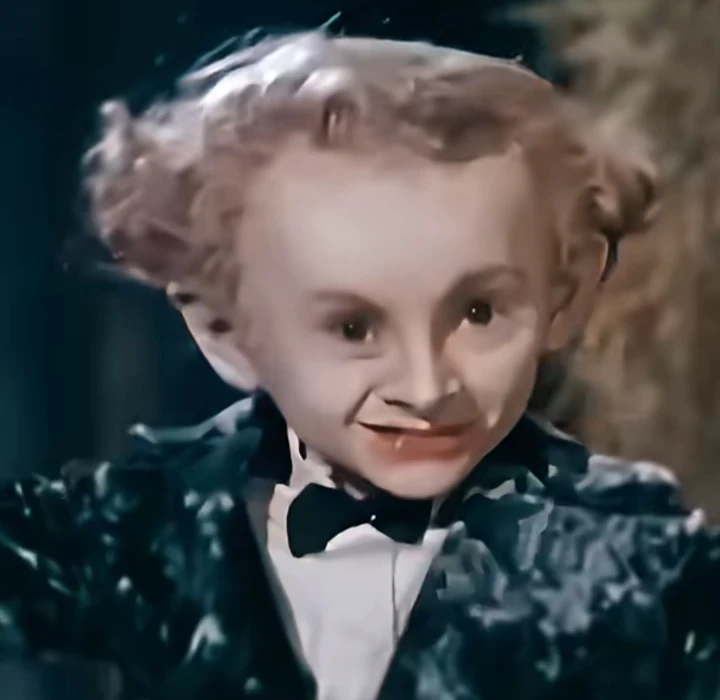 01 Your dancer
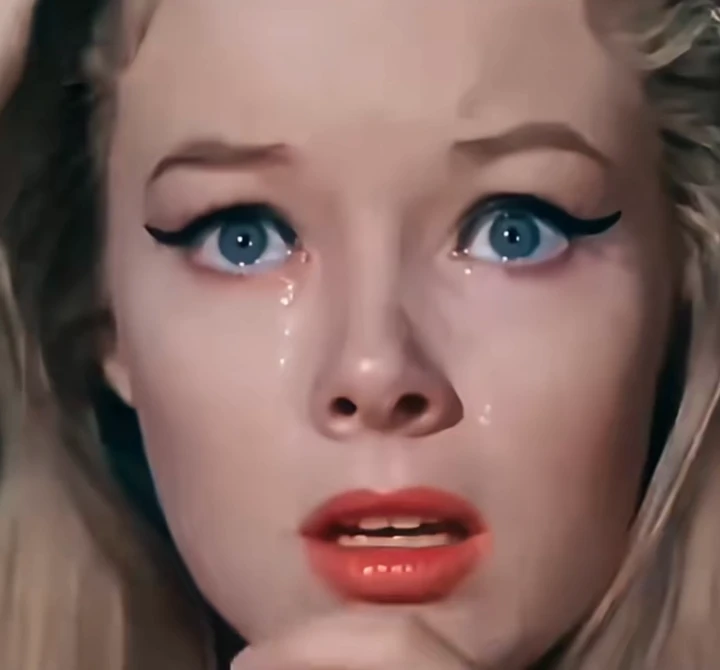 02 Your scene partner
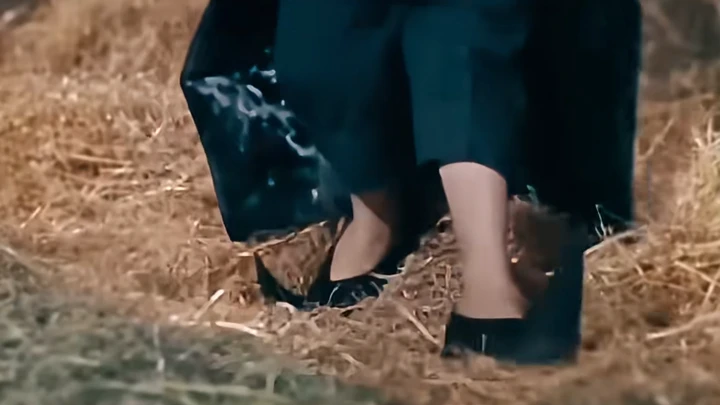 The iconic shoes
Source template shown. Your character preview appears after generation.
Use a photo of yourself, a friend or your pet. Add it to the dancer or seated observer slot. Upload a second photo if you want to replace both.
Choose 720P or 1080P in the template’s 16:9 format. The dance, pointed shoes and soundtrack are part of the template.
Pay with PayPal. View your video in My videos, or add an email to receive a private link. No account needed.
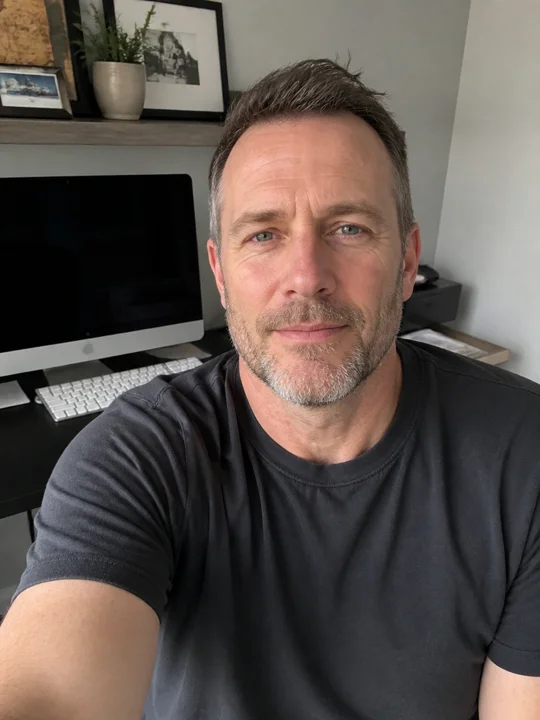
What would you look like doing the Rumpelstiltskin tip toe dance? This example starts with the portrait shown here. It replaces the dancing Rumpelstiltskin with the person in the photo, while leaving the seated character in the scene. Press play to see the face, the footwork and those long, pointed shoes together.
If you found the clip by searching “1987 Rumpelstiltskin dance” or “tip toeing in my Jordans,” here’s what one photo can do. Try a photo of yourself, a friend or your pet. Add it to the dancing role and leave the seated role blank—or use two photos to change both characters.
Make your tip toe dance videoThe appeal of the Rumpelstiltskin dance is easy to see: a dancer takes the floor, someone watches, and those impossibly long shoes get their own moment. You do not need a new story to make it funny. Sometimes changing who is dancing, and who has to sit there watching, is enough. That is the idea behind this tip toe video maker: keep a familiar setup and bring yourself, a friend or your pet into it.
Start with a photo for either the dancing character or the seated observer. Leave the other slot empty to keep the original character, or add another photo to replace both. Think of the pair together. A serious portrait can be a funny choice for the dancer, while a familiar face makes the reaction shot feel personal. Both roles matter because the template moves between the dance, the observer and the shoes. The aim is a complete little scene, rather than a single face pasted into the opening frame.
If you arrived with “1987 Rumpelstiltskin dance” or “Rumpelstiltskin 1987 tip toe” in mind, watch the previews before choosing your photos. The clip matters more than the name attached to a search. This page offers a specific two-character dance template; it does not offer a film download, and the year in a search phrase is not proof that a clip comes from a particular movie.
You may also have typed “1987 Rumplestiltskin” or simply “rumplestiltskin.” Here we use Rumpelstiltskin for the character’s name. The longer video linked to Facebook is a reference you can watch, while the creation panel uses the separate, approximately 13-second template shown above. Look at its reaction shots and footwork: those are the details your chosen characters are intended to follow. If you are looking for a different Rumpelstiltskin dancing clip, check that this is the scene you want first.
Use one person, pet or character per photo, with a face large enough to see clearly. A bright, straightforward picture is more useful than a dramatic portrait with half the face hidden. Avoid sunglasses, heavy blur and hands covering the eyes. Choose the role you want to replace and add your photo to that slot. Only one photo is needed; upload a second to replace the other role as well. For pets, choose a clear image with the face and ears visible. Check the labels before continuing: the dancer slot controls the dancing character.
A wider photo can show the outfit you want to bring into the scene. A closer portrait gives more attention to the face. Neither needs to match the pose in the video, and you do not need to photograph anyone actually dancing. For this Rumpelstiltskin dance template, the video supplies the performance while the photos supply the new cast. When you replace the dancer, the planned footwear is black leather with extremely long, pointed, upward-curving toes, regardless of the shoes in your photo.
Searching for “tip toeing in my Jordans” or “tip toe Rumpelstiltskin”? Play the template with sound to check the version you want. The soundtrack and the small changes in movement work together, so the timing is part of the joke. A silent thumbnail can show the characters, but it cannot show whether a step, a reaction and the music land together. Watch the whole clip before deciding which photos to use.
The model uses the template as a reference and generates the video and audio together; exact soundtrack reproduction is not guaranteed. The long pointed shoes are also part of the look, with their exaggerated, upward-curving toes visible in the current template. A replacement dancer is intended to keep that black pointed-shoe design across the whole scene. This preview shows the source footage; it is not a finished example proving that every motion or shoe detail has already been reproduced.
Choose 720P or 1080P for your Rumpelstiltskin dancing video. Both options keep the template’s 16:9 landscape composition, with room for the dancer and seated observer to share the frame. There is no portrait crop to choose in this version. Pick your resolution before reviewing the order, then check that the summary shows the one you selected. 720P costs $7.99 per video; 1080P costs $9.99.
Resolution describes the output size; it does not promise perfect faces, identical movement or new detail in a blurry photo. A clear reference image is still a better starting point than a tiny screenshot. Changing resolution updates your order, while the preview player continues to show the original template. Your selected resolution is sent to the generation model.
Review which roles will be replaced and which will stay original, the resolution and total ($7.99 for 720P or $9.99 for 1080P) before moving to PayPal. There is no subscription. You can add a delivery email if you want an order confirmation and a private video link, or leave it blank. That email can be different from your PayPal email. No account registration is needed for guest checkout.
Without a delivery email, keep access through the same browser and return to My videos. Clearing site data or using private browsing can remove that access. With an email, your private order link lets you return from another device. Generation starts after payment and can take more than 10 minutes. Closing the page does not interrupt it. Download your completed video within 14 days.
Photos, shoes, sound and what happens after checkout.
It is a photo-based tool built around one approximately 13-second tip toe scene. Use a photo of yourself, a friend or your pet to replace either character, or upload two photos to replace both. The AI edit uses the template as a reference for the performance, scene and soundtrack. Review the source template, choose your photos and resolution, then continue to PayPal.
We have not verified that the supplied dance footage comes from the 1987 film. “Rumpelstiltskin 1987 tip toe” is a search phrase addressed on this page, not a claim about the clip’s origin. Watch the actual template above to see the scene used by this tool.
No. Create your scene with one or two photos. Upload to the dancer slot to replace the dancer, or to the seated slot to replace the observer. Leave either blank to keep that original character. Add both photos to replace both roles. The same choice applies to people and pets.
This tool is designed for a fixed dance, not for writing a new routine. Your photos provide the characters; the template provides the intended movement and expressions. AI results may vary in motion, cut timing and identity consistency. The preview does not promise frame-for-frame reproduction.
Choose a sharp photo of yourself, a friend or your pet with one clear face and enough light to see the features. JPG, PNG and WebP are supported, with a maximum of 10 MB and a minimum size of 256 × 256 pixels. Use photos you own or have permission to use. Avoid group pictures and heavily covered faces.
The model generates the video and audio together; exact preservation of the template soundtrack is not guaranteed. When you replace the dancer, the new character is intended to wear black leather shoes with very long, sharp, upturned toes in every shot. The source preview still shows its original footwear; it is not a personalized result.
Choose 720P or 1080P, both in fixed 16:9 landscape. The resolution is shown again before checkout. The preview plays the same original source sample for both choices, so it cannot be used to compare generated picture quality.
The price is $7.99 for 720P or $9.99 for 1080P, paid through PayPal, with no subscription. Delivery email is optional. Add it for order and video emails; otherwise, return in the same browser to My videos.
An emailed private order link provides access from another browser or device. Without a delivery email, return using the same browser. Clearing browser data may remove your access. If you supplied an email, use the recovery option in My videos.
Generation can take more than 10 minutes. Your order page shows the current status and updates automatically; closing it does not interrupt the task. A confirmed generation failure receives one automatic retry. If that retry also fails, we initiate a full refund through PayPal. Use the problem report form on your order page for other issues.